
NurHafiz
Memorize the Quran
A Hifz plan that follows your pace: new portion, recent revision and long-term rotation in one rhythm. No account, no tracking. Recitations come from EveryAyah; downloaded surahs work offline too.
For anyone who wants to retain surahs for good — from the first ayah to a Hifz plan of their own.
From the app
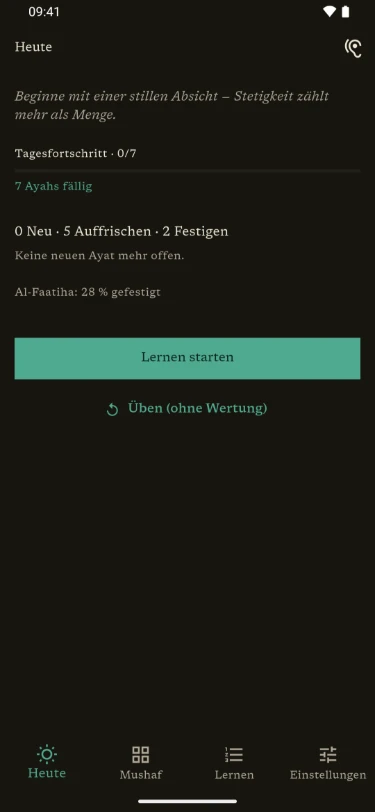
A plan that adapts to you
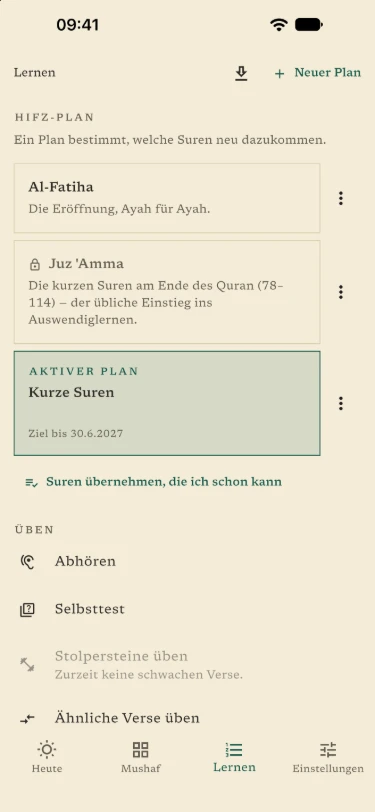
Every day has three parts: new, recent and long-term. What has settled comes back less often; what is still shaky, more often.
You create plans by surah or by page, with a goal if you like — a target date or a fixed time per day. Surahs you already know by heart go straight into revision with “Already known” after a short spot check.
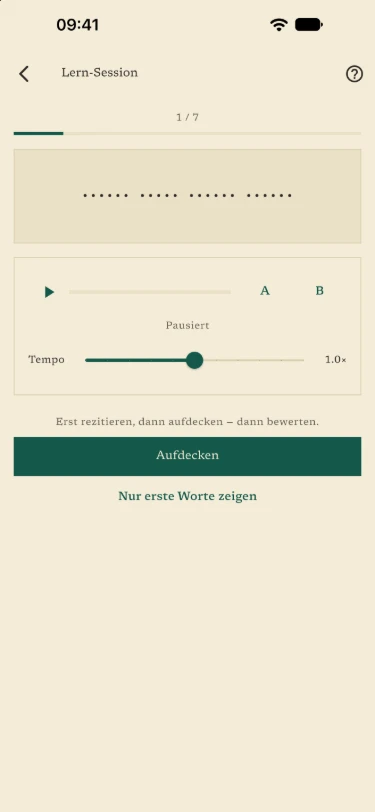
In the session the rule is: recite first, then reveal, then rate. You practise by reading and listening, with the word bank, the missing word and the first letters.
Telling similar verses apart
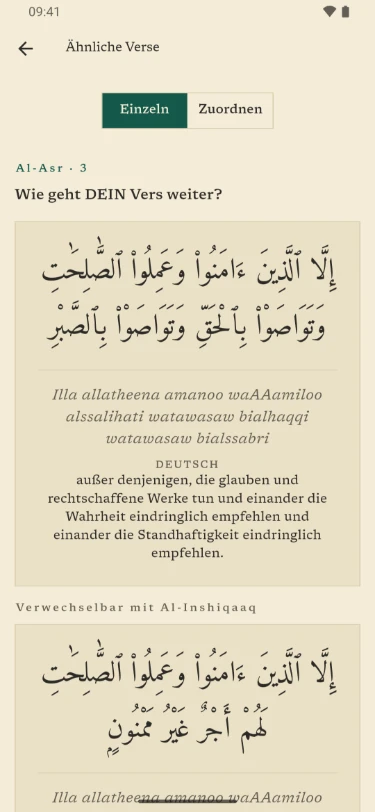
Some verses begin the same way and continue differently. Under Similar verses (mutashabihat) you practise such pairs: you see the beginning of your verse, recite how it continues and then reveal both verses.
There are also the transitions between ayahs, their order and recognising an ayah by ear.
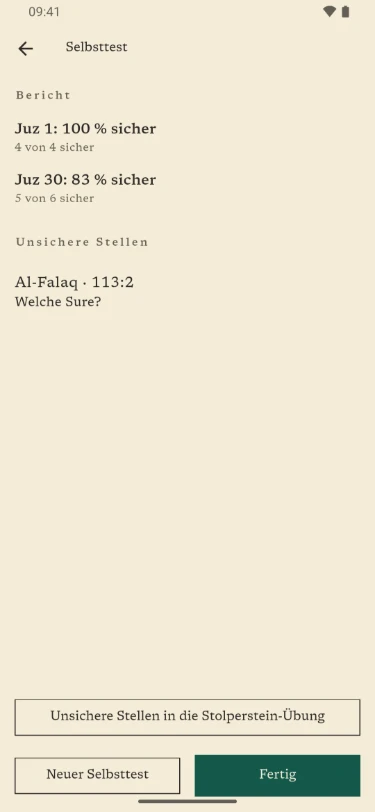
The self-test covers a surah, a juz or everything you have learned and ends with a report. You mark uncertain places as stumbling blocks — also while reading or after revealing — and practise them in a targeted way.
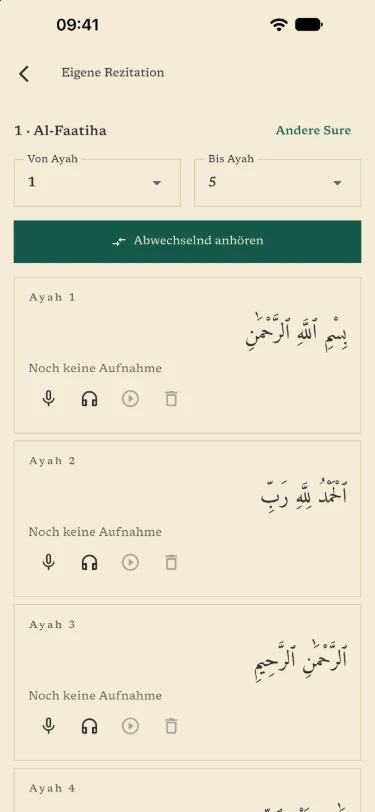
Hear your own recitation
You record your recitation ayah by ayah and listen to it in turn with the reciter. The recordings stay on the device and can be deleted individually.
In the recitation check, a teacher or a family member listens and marks mistakes; the teacher view also shows the transliteration.
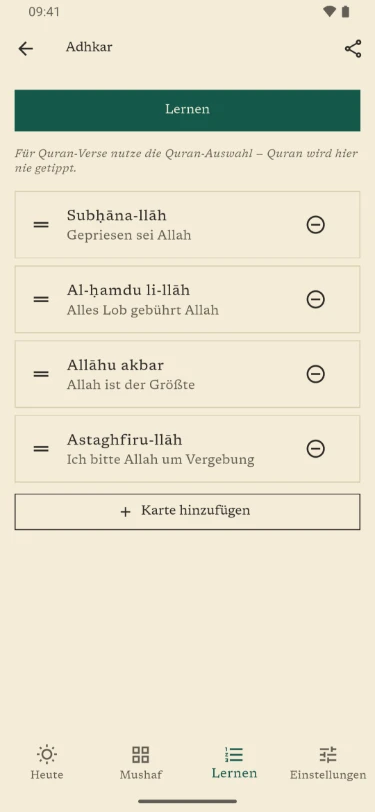
Your own decks and sharing
In your own decks you put together verses from the Quran — the text always comes from the verified source — or create your own cards, for example for du’a, adhkar or vocabulary.
You can import your own cards from a CSV file, for example from a spreadsheet, and share them again as CSV.
Plans and decks can be shared by QR code or as a file, for example from a teacher to the halaqa — without an account, and your own progress stays on the device.
Read and listen
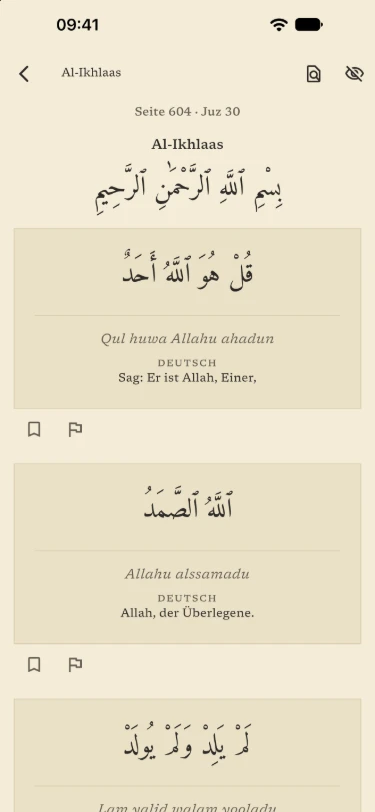
The whole Quran to read, page by page if you like, following the pages of the Medina Mushaf, with a jump to any page.
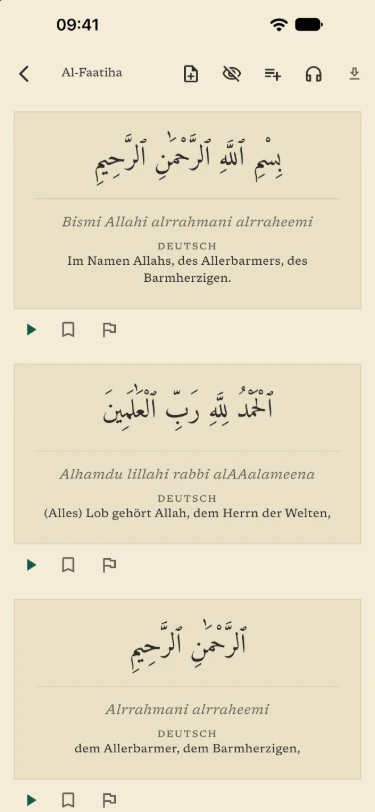
Each ayah comes with transliteration and translation — in German, English, Turkish, French, Bosnian or Albanian, each with its source.
Recitation keeps playing in the background. Surahs you download can be heard without a network.
In everyday life
The “Today” widget shows on the home screen what is due. A daily reminder comes if you want one — only when something is due, if you prefer.
On tablets and the iPad the app uses the full width, in landscape too. Light, dark or following the system: you choose the appearance.
You back up your progress to a file. Once switched on, automatic backup makes a copy at most once a day, and it goes along with the device backup.
Free and NurHafiz Pro
Free
- Reading and listening to the whole Quran, with translations, transliteration and downloads
- Memorizing Al-Fatiha, with every exercise
- Revision, including surahs you move over with “Already known”
- Similar verses as a sample
- Your own cards in your own decks
NurHafiz Pro
- New memorization beyond Al-Fatiha
- Similar verses in full, as part of daily revision
- Statistics over time
What the app does
- New portion, recent revision and long-term rotation come together in one daily session
- Telling apart similar verses (mutashabihat) that are easily confused
- The whole Mushaf to read and listen to, all 114 surahs
- Recitation with an A–B loop, background playback and per-surah downloads for listening on the go
- Translation plus search across surahs and ayahs, in German, English, Turkish, French, Bosnian and Albanian
- Ad-free, no account, no tracking
At a glance
- Languages in the app
- Deutsch · English · Türkçe · Français · Bosanski · Shqip
- Platforms
- Android · iOS
- Price
- Free · In-app purchases
- Data collection
- Order data · Sales reports
- Account
- Not required